


IMAIOS e-Anatomy
4.1131.00 Reviews
App Specs
- Version
- 8.4.3
- Updated On
- License
- Free
- Downloads
- 1,000,000+
- Developer
- IMAIOS SAS
- Categories
- Medical
- Platform
- Android, iOS
Screenshots
 Analysis by AppCompare
Hey there! I recently got my hands on the IMAIOS e-Anatomy app, and let me tell you, it’s a game-changer for anyone diving into the world of anatomy. Whether you’re a med student, a professional, or just a curious mind, this app has something to offer. Let’s dive into what makes it tick.
Where a connection changes the experience
An anatomy reference is most useful when it can answer a question at the moment it comes up, and that is also when network access can matter. With a large set of detailed material to explore, I would plan to open the sections I expect to use before heading into a place with unreliable reception. That simple habit makes a difference if I want to review an image between classes, during a commute, or while waiting for an appointment.
I would not treat the app as a guaranteed substitute for a connection-free reference. If you need to depend on it in a setting where the network is restricted or unstable, check that the content you need is available before you leave a reliable connection. For a student revising at home or in a library, that is a small consideration; for someone relying on a quick lookup in a basement clinic or a rural area, it deserves more attention.
A pocket reference, not a complete study plan
The phone format suits short, focused questions: Which structure am I looking at? How does this layer relate to the next one? What should I revisit before class? I find that kind of use more realistic than trying to learn an entire anatomical system in one sitting on a small screen. A tablet or a larger display is often more comfortable for comparing fine details, while a phone is better for quick checks and brief review sessions.
That distinction also helps set expectations. An interactive atlas can make spatial relationships easier to inspect than a static page, but it does not replace lectures, lab work, or a textbook when you need a carefully paced explanation. I would use it alongside those resources: let the atlas clarify what a diagram or class discussion has introduced, then return to a larger study source for broader context.
A practical routine is to start with one question rather than browse at random. Search for the structure, inspect its surrounding anatomy, and then make a note of what is still unclear. This keeps a quick session purposeful and makes it easier to spot gaps in understanding instead of mistaking time spent scrolling for progress.
When it helps—and when I would choose something else
The app is most appealing to learners and health professionals who already have a reason to look closely at anatomy. Students can use it to revisit structures after a lecture, while a clinician may find a visual reference useful when preparing an explanation. Curious readers can explore too, but the amount of detail may feel like overkill if they only want a light, introductory overview.
Worth Reading Before You Choose

Flipboard Shows What News Apps Must Do Beyond the Feed

Switching to Android Auto Means Rethinking Your Driving Routine

Google Calendar Makes a Crowded Week Easier to Manage

Ludo King Makes the Most of the Minutes Between Plans

Baby Panda World Brings Quick Play to Modern Phones, but Its Game Library Feels Busy

ESPN’s Live Game View Makes Following Close Games Easier
For a beginner who needs plain-language teaching from the ground up, I would pair it with a course or a book that explains concepts step by step. For a quick, broad definition, a general reference may be faster. Where this atlas makes more sense is when a flat description is not enough and seeing the relationships among structures is the point.
One useful trade-off is that detailed images invite close inspection, but they can also slow down a simple lookup. I would avoid opening a complex view when I only need a basic reminder. Start with the most direct search you can, then explore neighboring structures only if they answer a real question. That keeps the app useful rather than turning every lookup into a long detour.
First Impressions and Interface
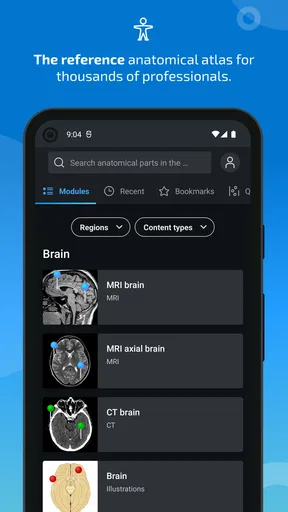
When I first launched the app, I was greeted with a sleek and intuitive interface. The design is clean, making navigation a breeze. You’re not overwhelmed with too many options, which is a relief, especially when you’re trying to focus on learning. The categories are neatly organized, and finding what you need is straightforward.
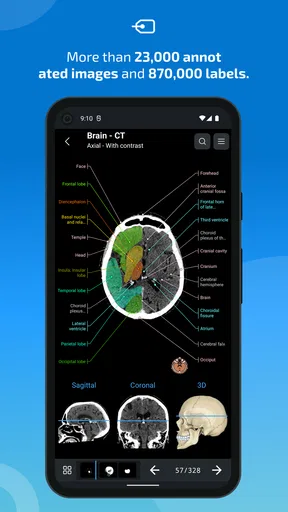
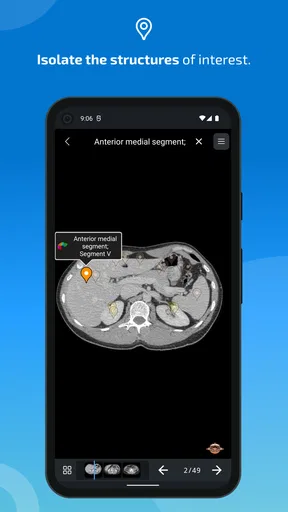
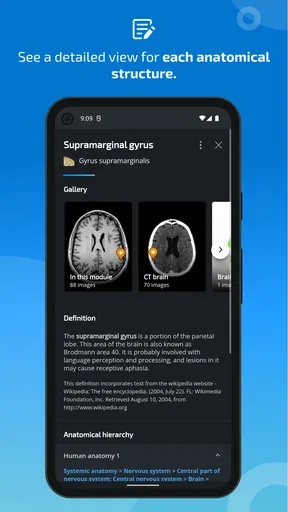
The app offers an extensive range of anatomical images and modules. From bones to blood vessels, each section is packed with detailed illustrations. I found the interactive features particularly helpful. You can zoom in, rotate, and explore different layers of anatomy, which makes understanding complex structures much easier.
Diving Into the Features
One of the standout features of IMAIOS e-Anatomy is its vast library of content. It’s like having a comprehensive anatomy textbook in your pocket! The app covers numerous systems, including the cardiovascular, muscular, and nervous systems, to name a few. The real kicker is the ability to view these systems in various imaging modes like MRI, CT scans, and X-rays.
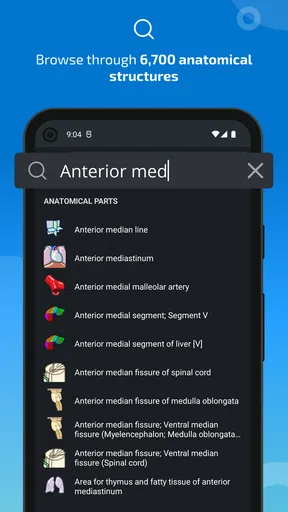
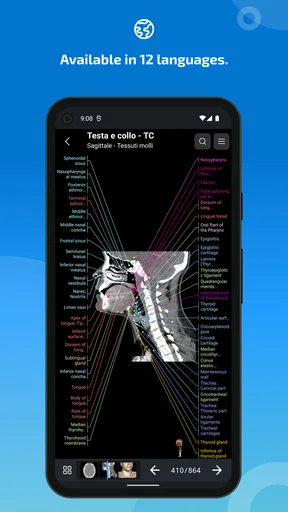
The search functionality is robust, allowing you to quickly find specific structures or systems. I was impressed with the level of detail in each image. Labels are clear, and the accompanying descriptions provide valuable context. It’s perfect for brushing up before exams or during clinical practice.
Finding a reliable workflow
For exam revision, I would use search as a starting point, not the whole session. Find a named structure, inspect its position, and then test whether I can identify it again without relying on the label. If I am comparing an MRI, CT scan, or X-ray view, I would focus on one region at a time rather than jumping between unrelated systems. This makes the image work like an active study prompt instead of a passive picture gallery.
Search is particularly helpful when I already know the term I need. If I only remember a location or a relationship, browsing the relevant system may be a better first move. A useful habit is to note the exact term after finding it; that gives me a stronger search starting point next time and helps separate a vocabulary problem from a visual-recognition problem.
Images also need to be read with care. An anatomy atlas can support learning and help explain a structure, but it is not a diagnostic tool or a replacement for professional judgment. In clinical work, I would use it for anatomical orientation and communication, then rely on the appropriate clinical sources and procedures for decisions about a patient.
Learning and Customization
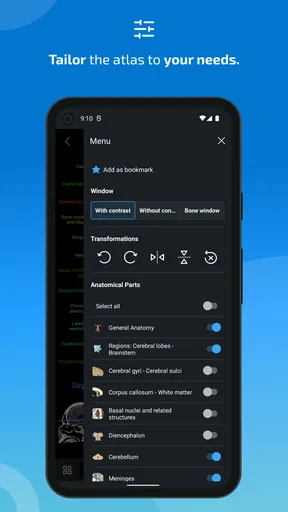
What I really appreciate is the customization aspect. You can tailor the app to your learning style. Highlighting, bookmarking, and note-taking features are all integrated, making it a flexible learning tool. I found myself using the quiz mode frequently, which is both fun and educational. It tests your knowledge and helps reinforce what you’ve learned.
The app also offers multi-language support, which can be a lifesaver if English isn’t your first language. This makes it accessible to a broader audience, ensuring that more people can benefit from its resources.
Making notes that are useful later
Bookmarks and notes are most helpful when I use them to capture a specific question, not simply to save everything that looks interesting. For example, I might bookmark a structure I repeatedly confuse with a nearby one and add a short reminder about the distinction I need to review. That turns a saved item into a targeted revision list rather than a collection I never reopen.
Quiz mode can make a short break more active, but I would not use a good score as proof that I understand the material in depth. Recognition in a quiz and explaining a structure in my own words are different skills. I would follow a quiz session by revisiting the relevant image and describing the relationships without looking at the labels.
Language support is useful for readers who study in one language but encounter anatomical terminology in another. I would still keep terminology consistent with the language used in a course or workplace, especially when preparing notes for an exam or discussing anatomy with colleagues. Switching languages can aid comprehension, but it can also make it easier to mix terms if I do not keep track.
Real-World Application
For professionals, this app is a great reference tool. It’s handy during clinical practice when you need to double-check details or explain concepts to patients. The clarity and detail of the images make it easier to communicate complex anatomical information.
Students will find it invaluable for studying. The interactive quizzes and detailed images are perfect for exam preparation. It’s like having a study buddy who’s always available to help you out!
A realistic day-to-day example
Imagine I have a lecture in the morning and a short gap before the next class. I can use that time to search for a structure that came up in the lecture, inspect the surrounding anatomy, and save a note about the detail I want to ask my instructor. Later, at home, I can return to the same topic and use a quiz or another view to check whether I can recognize it again. The app is most useful in that loop: encounter a question, look closely, record what remains unclear, and review with more time.
For a professional explaining anatomy to a patient, I would choose the image carefully and keep the explanation focused on the person’s question. Detailed views can be informative, but they may also be too technical or unsettling for someone who only needs a simple explanation. In that moment, a plain diagram or a verbal explanation may work better, with the atlas serving as preparation rather than something to show directly.
People deciding whether to install it may also wonder about cost and commitment. The app is free to install, while some content is offered through in-app purchases ranging from $12.99 to $132.99 per item. I would first identify which material I actually need and explore the available content before paying for anything. The range means it is worth treating purchases as a deliberate choice, not assuming every section is included with the free app.
Connectivity, access, and practical limits
When a page or image takes longer to reach than expected, I would first check whether the connection is the issue before repeating searches or tapping through several screens. Repeated attempts can make a slow moment feel more confusing, especially when I am trying to follow a specific study question. If a topic matters for a class or work session, checking it ahead of time is a more dependable routine than waiting until I need it urgently.
For data-conscious use, I would avoid casually opening large visual material over a connection I need to conserve. I would use a trusted network for browsing when practical and keep sessions focused on the structures I came to study. Those are general habits rather than claims about how the app handles data; they simply make mobile use more predictable and reduce unnecessary browsing.
There is also a screen-size trade-off. Zooming helps on a phone, but frequent pinching and panning can make it harder to hold a mental picture of a whole region. I would use a larger screen for a longer comparison session when one is available, and reserve the phone for targeted inspection. If all I need is a quick definition, a text reference may be quicker; if I need spatial detail, this atlas has a clearer reason to be open.
IMAIOS e-Anatomy is a medical app from IMAIOS SAS, and its long-running presence is reflected in its release on October 20, 2011. It is free to download, has a Teen content rating, and its current version is 8.4.3, with Android support beginning at version 5.0. Its average rating is 4.1 from around 4,100 ratings, and it has more than one million installs. Those figures suggest a widely used reference, but they do not remove the need to decide whether its detailed approach suits your own learning needs.
Final Thoughts
All in all, the app is a powerful tool for anyone interested in anatomy. Its user-friendly interface, extensive content, and interactive features make it stand out in the crowded world of educational apps. Whether you’re a seasoned professional or just starting your journey into the human body, this app is worth checking out.
If you’re ready to explore the wonders of human anatomy, give this app a try. You won’t be disappointed!
My connectivity verdict
I would recommend it to anatomy students and professionals who want detailed visual reference material and can build it into a sensible study or work routine. Its strongest role is helping me inspect structures and revisit a focused question, not replacing a course, a textbook, or clinical guidance. A beginner seeking a gentle introduction, someone who mainly needs quick definitions, or a user who must rely on access in places with unreliable connectivity may be better served by a simpler or more dependable alternative.
Overall, I see connectivity as a planning consideration rather than the reason to choose or reject the app. Check important material when you have a reliable connection, keep mobile sessions purposeful, and use a larger screen when detail matters more than convenience. With those expectations, I find this a worthwhile anatomy reference; without them, its depth and mobile format can make quick use less comfortable than a conventional text-based source.
Pros
- Comprehensive anatomical library.
- High-quality 3D images available.
- Regular content updates.
- User-friendly interface design.
- Multi-language support.
Cons
- Requires a stable internet connection.
- Subscription needed for full access.
- Large app size may affect storage.
- Limited offline functionality.
- Occasional minor bugs.
FAQs for IMAIOS e-Anatomy
What is IMAIOS e-Anatomy used for?
IMAIOS e-Anatomy is a comprehensive medical imaging tool designed for healthcare professionals, students, and educators. It offers an extensive database of human anatomy images, including MRI, CT scans, and radiographs. Users can explore detailed anatomical structures, making it ideal for learning, teaching, and clinical reference.
Is IMAIOS e-Anatomy suitable for beginners in the medical field?
Yes, IMAIOS e-Anatomy is suitable for both beginners and advanced users. It provides detailed labels and descriptions of anatomical structures, making it a valuable learning tool for medical students while also serving as a detailed reference for experienced professionals.
Does IMAIOS e-Anatomy require an internet connection to function?
While some features in IMAIOS e-Anatomy may be accessible offline, a stable internet connection is generally required to access the full range of images and updates. This ensures users can benefit from the latest content and enhancements provided by the developers.
What platforms is IMAIOS e-Anatomy available on?
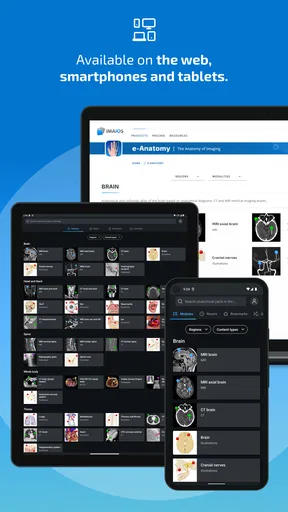
IMAIOS e-Anatomy is available on both Android and iOS platforms. Users can download the app from the Google Play Store or Apple App Store, ensuring compatibility with a wide range of smartphones and tablets for convenient access to anatomical resources.
Are there any subscription fees for using IMAIOS e-Anatomy?
IMAIOS e-Anatomy operates on a subscription-based model. While the app may offer limited free features, a subscription is required to access the full suite of images and advanced functionalities. This model supports continuous updates and the expansion of the app's anatomical database.


